
What is SFM In Machining?
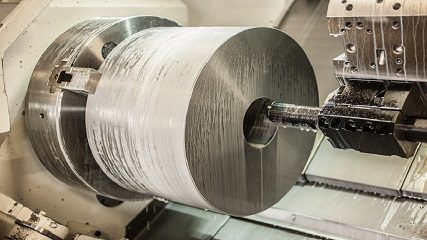
Struggling with poor surface finishes and worn-out tools? Incorrect cutting speeds waste time and money, leading to project delays. Understanding SFM is the key to optimizing your machining process.
SFM, or Surface Feet per Minute, measures the speed of the cutting tool's edge as it moves across the workpiece. Think of it as the ideal "speed limit" for cutting a specific material, ensuring both efficiency and quality in CNC machining projects.
Getting the SFM right feels like finding a secret formula for perfect parts. It is often the difference between a smooth, efficient job and a frustrating, costly one. I remember a client who was having issues with some aluminum parts; the finish was just terrible. We traced it back to their SFM settings being far too low for the material. Once we adjusted them, the problem disappeared. Let's dive deeper into what SFM really means for your projects and how you can master it.
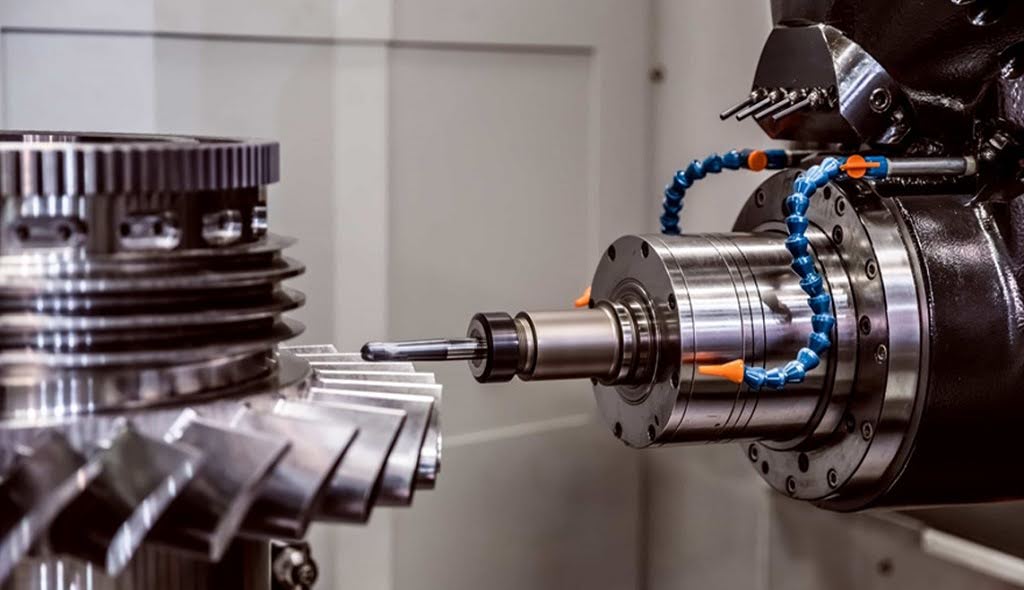
What is SFM in Machining?
SFM, or Surface Feet per Minute, measures the relative speed between the cutting tool and the workpiece. It is a critical setting because every material, from soft aluminum to hard steel, has an ideal speed for being cut cleanly and efficiently.
Think of it like driving a car. On a wide-open highway, you can go fast. On a winding city street, you must slow down to stay safe and in control. SFM is the same idea for machining. A material like aluminum is the highway; you can often use a high SFM for faster cuts. Harder materials like stainless steel or titanium are like the city street; you need a lower SFM to prevent tool damage and ensure a good finish. It’s all about matching the speed to the conditions.
This speed isn't just about how fast the machine's motor runs. It's about the precise interaction at the point where the tool touches the material. Getting this right is fundamental to the entire process. A correct SFM helps manage heat, ensures the metal chip forms and breaks away cleanly, and protects the cutting tool from wearing out too fast. For every job we run, setting the right SFM is one of the first and most important steps we take.
How is SFM calculated?
SFM is calculated with a specific formula that converts a tool's rotational speed into a linear speed at its cutting edge. Understanding this math is key to controlling the machining process.
The primary formula to find the SFM when you know the machine's RPM is:
SFM = (RPM × Tool Diameter × π) / 12
Let's break this down:
* RPM:This is Revolutions Per Minute, or how fast the machine's spindle is turning.
* Tool Diameter: This is the diameter of your cutting tool (like an end mill) in inches. For lathe operations, this would be the diameter of the rotating workpiece itself.
* π (Pi): This is the constant 3.1416, used to find the circumference of the tool's path. Multiplying the diameter by Pi gives you the distance traveled in one revolution, in inches.
* / 12: Since the Tool Diameter is in inches, the result so far is in "Surface Inches per Minute." We divide by 12 to convert this value into feet, giving us Surface Feet per Minute.
In a real-world shop, we usually do the opposite. We know the recommended SFM for our material and need to calculate the correct RPM to program into the machine. For this, we use the rearranged formula:
RPM = (SFM × 12) / (Tool Diameter × π)
This is the formula we use every day. Tool manufacturers provide a target SFM for cutting a specific material, like 6061 aluminum or 316 stainless steel. We take that number and use this formula to set our machine's spindle speed.
Example Calculation for RPM:
Let's say a tooling supplier recommends an SFM of 800 for cutting aluminum. We are using a 0.75-inch diameter end mill.
* RPM= (800 × 12) / (0.75 × 3.1416)
* RPM = 9600 / 2.3562
* RPM ≈ 4074
Based on this calculation, we would program the CNC machine to run at approximately 4,074 RPM to achieve the target cutting speed of 800 SFM. This ensures we are operating efficiently and safely for both the tool and the material.
Is a higher SFM always better?
No, a higher SFM is not always better. While a higher SFM leads to faster material removal and can reduce cycle times, it also generates more heat. Pushing the speed too high for a given material can cause premature tool wear, tool failure, or a poor surface finish.
The goal is to find the optimal SFM, not the maximum. Think of it as a balance. For softer materials like aluminum or plastics, a higher SFM is usually great. It allows for quick, efficient cuts and can leave a beautiful surface finish. I've seen jobs where increasing the SFM correctly cut the production time by 20%, which is a huge cost saving for a client ordering a high volume of parts. Efficiency is key to keeping costs competitive.
However, for hard or abrasive materials like stainless steel or heat-treated alloys, a high SFM is a recipe for disaster. The extreme heat generated at the cutting edge will quickly dull or even break the tool. This not only ruins the part but also leads to more downtime and replacement tool costs. In these cases, a slower, more conservative SFM is much better. It preserves the tool's life and produces a higher quality, more accurate part, which is always the top priority.
What is the difference between SFM and FPM?
In the context of machining on a lathe or mill, SFM (Surface Feet per Minute) and FPM (Feet per Minute) are often used to describe the same thing: the speed of the workpiece or tool surface. However, FPM can be a more general term used in other industries for any linear speed.
When we talk about machining, especially turning on a lathe or milling, SFM is the industry-standard term. It specifically refers to the speed at the surface where the cutting is happening. Imagine the outer edge of a spinning part on a lathe. SFM tells you how many feet that specific point on the surface travels in one minute as it moves past the stationary cutting tool. It's a measure of the relative speed between the tool and the part's surface.
FPM, on the other hand, can sometimes be used more broadly. For example, you might see FPM used to describe the speed of a saw blade or a sanding belt. In those cases, it's just a direct measurement of linear speed. While you could technically use FPM to describe surface speed in machining, SFM is the more precise and commonly accepted term. Using "SFM" immediately tells another machinist you are talking about the cutting speed at the tool-workpiece interface.
How Does SFM Affect CNC Machining Quality?
SFM has a direct and significant impact on the quality of a machined part. The correct SFM ensures a clean cut, a good surface finish, and dimensional accuracy. An incorrect SFM, whether too high or too low, can ruin all three of these critical quality aspects.
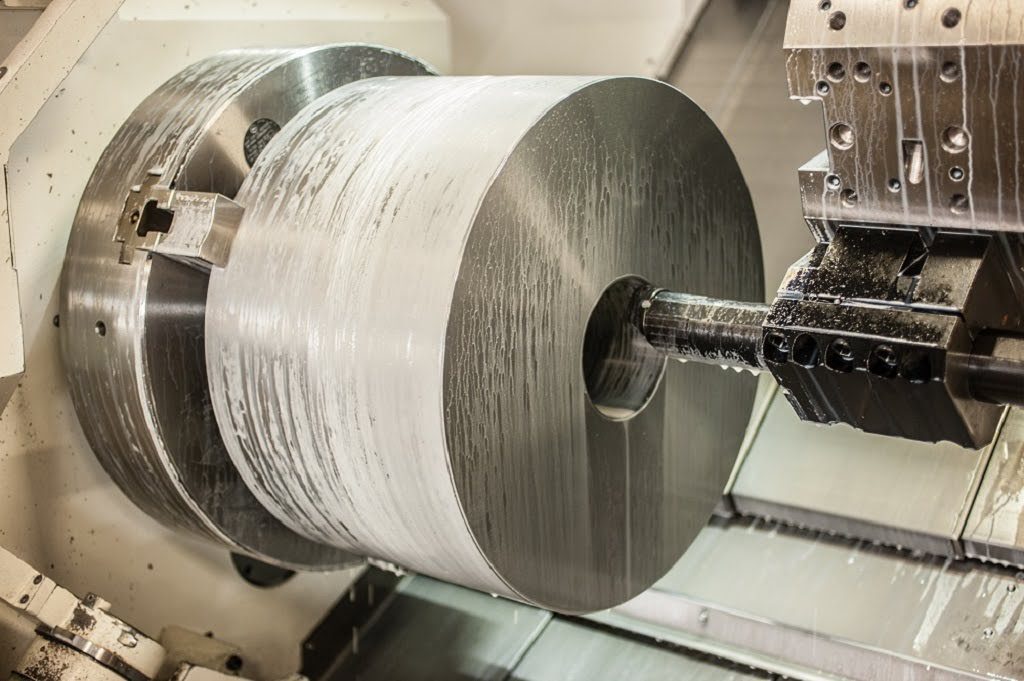
When the SFM is set correctly for a material, the cutting tool shears the metal cleanly. This process creates a uniform chip and leaves behind a smooth, consistent surface. It also minimizes heat buildup, which is crucial for maintaining the part's dimensional stability. If the part gets too hot during machining, it can expand, and then contract as it cools, throwing its final dimensions out of tolerance. A customer of mine in the aerospace industry needs parts with extremely tight tolerances. For them, managing heat through correct SFM is not just about looks; it's about function and safety.
If the SFM is wrong, quality suffers immediately. Too high, and you get excessive heat that can burn the material, cause chatter marks, and rapidly destroy the cutting tool, leaving a rough finish. Too low, and you can get what's called a "built-up edge," where material welds itself to the tool tip. This also results in a terrible surface finish and can cause the tool to push the material instead of cutting it, leading to inaccurate part dimensions.
How to Calculate the Optimal SFM for Different Materials?
There is no single formula to calculate the optimal SFM. Instead, optimal SFM values are determined through testing and experience. These values are published in machining data handbooks and provided by tooling manufacturers as starting recommendations for different materials.
The best way to find the right SFM is to start with a trusted source. Tooling suppliers are an excellent resource because they have tested their products extensively. They provide charts that list different materials, from aluminum and brass to various steels and plastics, alongside a recommended SFM range. For example, for a general-purpose carbide end mill, they might suggest 800-1200 SFM for aluminum but only 150-300 SFM for 304 stainless steel. These charts are our starting point for every new project.
From that starting point, we make adjustments based on the specific job. Factors like the rigidity of the machine, the way the part is held, and the use of coolant can all influence the optimal SFM. We might start in the middle of the recommended range and then listen to the machine. If there is a lot of vibration or noise (chatter), we might need to slow down. If the cut is smooth and the tool looks good, we might carefully increase the speed to improve efficiency. It's a process of refinement to find that perfect balance of speed and quality.
How Does SFM Impact Surface Finish Quality?
SFM is one of the most important factors controlling the final surface finish of a part. Running at the correct SFM for the material helps create a smooth, clean surface, while an incorrect SFM is a primary cause of roughness, tool marks, and other imperfections.
When the tool moves across the material at the right speed, it shears the metal cleanly and efficiently. The chip that is formed flows away from the cutting zone smoothly. This clean shearing action is what leaves behind a lustrous and uniform finish. For parts where appearance is critical, like front panels on electronic devices or custom automotive components, achieving the best possible surface finish is a key requirement. Dialing in the SFM is step one to making that happen.
Conversely, a poor SFM setting leads to problems. If the SFM is too low, you can get a built-up edge (BUE), where bits of the workpiece weld themselves to the tool. This BUE then drags across the surface, leaving a rough and torn finish. If the SFM is too high, it generates excess heat. This can cause discoloration on the material and lead to rapid tool breakdown. As the tool's edge degrades, it no longer cuts cleanly, resulting in a poor finish and chatter marks across the surface.
What Happens When SFM is Too High or Too Low?
Setting the SFM too high or too low leads to distinct problems that hurt both the part quality and the efficiency of the process. Each extreme has its own set of negative consequences that a good machinist knows how to avoid.
When the SFM is too high, the most immediate effect is extreme heat generation at the cutting edge. This heat can cause the material to become gummy, leading to a poor surface finish. More critically, it will rapidly wear out your cutting tool. A carbide tool that should last for hours might be destroyed in minutes. In the worst case, the heat and pressure can cause the tool to chip or break catastrophically, potentially damaging the workpiece beyond repair and even the machine itself. Cycle times might be fast, but the cost of broken tools and scrapped parts is much higher.
When the SFM is too low, the process becomes inefficient. The tool is not cutting as productively as it could, which increases cycle time and cost. More importantly, it can also harm quality. At very low speeds, the tool tends to rub or push the material rather than shearing it. This can lead to a built-up edge, which ruins the surface finish. It can also cause work hardening in some materials like stainless steel, making subsequent cuts much more difficult. Finding that "just right" window is essential.
Can Incorrect SFM Increase Manufacturing Costs?
Yes, absolutely. An incorrect SFM is a direct driver of increased manufacturing costs. It impacts everything from cycle time and tool consumption to labor costs and material waste, all of which affect the final price of a part.
First, let's consider tool life. Running an SFM that is too high will burn through cutting tools. If you have to replace a $50 end mill every half an hour instead of every four hours, those costs add up quickly, especially on a high-volume production run. We had a client who tried to rush a job by overriding our settings. They doubled the SFM and ended up breaking three tools and scrapping five parts before they called us. The "time" they saved was lost many times over in tool and material costs.
Second is cycle time. Running an SFM that is too low makes the machining process take longer. Since machine time and labor are major cost components, any inefficiency directly increases the price per part. A 15% reduction in SFM can mean a 15% increase in run time. Finally, incorrect SFM leads to scrapped parts. Whether from a bad finish, burnt material, or a broken tool gouging the workpiece, every part that fails inspection is wasted material, time, and money. Optimizing SFM is a core part of how we provide competitive pricing without sacrificing quality.
What Tools Help Monitor and Control SFM?
Modern CNC machining uses a combination of software, machine controller features, and experienced operators to monitor and control SFM effectively. These tools work together to ensure the machine is running at the optimal speed for the given task.
The most important tool is the CNC controller itself. Programmers don't usually input SFM directly. Instead, they use a feature called Constant Surface Speed (CSS). The programmer tells the controller the desired SFM for the material. The controller then automatically and continuously adjusts the spindle RPM based on the diameter being cut. For example, when facing the end of a round bar, the RPM will increase as the tool moves from the outer edge toward the center, keeping the SFM constant and ensuring a uniform finish across the entire face.
Beyond the controller, we rely heavily on CAM (Computer-Aided Manufacturing) software. This software contains vast libraries of tooling and material data. It automatically suggests the correct SFM and other cutting parameters when we program a toolpath. Finally, the skill of the machinist is irreplaceable. An experienced operator can listen to the sound of the cut and observe the chips being formed to know if the programmed speeds are truly optimal. They can then make small adjustments on the fly to perfect the process.
Conclusion
In short, mastering SFM means matching your cutting speed to your material. This simple principle is key to achieving high efficiency, excellent surface finish, and lower costs in any machining project.