
How to Choose the Right CNC Router for Metal Fabrication?
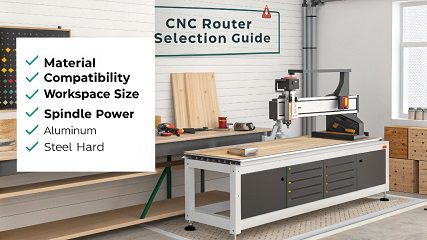
Choosing a CNC router for metal feels complex. Making the wrong decision can cost you a lot of time and money. Let's focus on the key factors for success.
To choose the right CNC router for metal, focus on machine rigidity, spindle power, and precision. A heavy, sturdy frame is critical to handle the cutting forces of metal without vibration. A high-torque spindle and precise ball screws are also essential for accuracy and a good finish.
That's the basic answer, but there is much more to consider. Choosing the right machine involves understanding your specific needs and the machine's capabilities in detail. Let's break down how you can make the best choice for your projects and avoid costly mistakes.
How do you choose a CNC router?
Are you feeling overwhelmed by all the CNC router options available? Picking the wrong one leads to a wasted investment and results that don't meet your standards. Here is a clear checklist.
First, define your needs. Consider the main materials you will cut, the typical part sizes you need, and your budget. Then, evaluate the machine's structure, spindle power, and control system. Finally, always check the manufacturer's support and warranty before you buy.

Choosing a CNC router is a big decision. I once talked with a customer, Mark from Canada, who was about to buy a new machine. He was focused on price, but we started talking about his actual projects. He realized the machine he wanted was too small for about 30% of his jobs. He would have lost a lot of business. This is why you must look beyond the price tag.
Key Selection Criteria
Here is a breakdown of what you should check:
| Factor | Why It's Important | My Advice |
|---|---|---|
| Material | Different materials need different cutting forces. Aluminum is soft, but steel is very hard. | Be honest about what you will cut most often. A machine great for aluminum might struggle with stainless steel. |
| Workspace Size | The machine's bed size limits the size of the parts you can make. | Think about your biggest potential project, not just your average one. It's better to have extra space you don't always use. |
| Spindle Power | This is the machine's motor. More power means faster and deeper cuts, especially in hard metals. | For metal, don't go for a low-power spindle to save money. You will regret it. A high-torque spindle is a must. |
| Machine Rigidity | A heavy, solid frame prevents vibration. Vibration ruins accuracy and surface finish. | Look for a machine with a cast iron or welded steel frame. If it looks flimsy, it probably is. This is the most important factor for metal. |
Can you really use a CNC router on metal effectively?
Do you think CNC routers are only for wood or plastic? This common mistake can seriously limit what your shop can do. Let’s clear up this idea right now.
Yes, you can absolutely use a CNC router on metal. However, it must be a machine specifically designed for it. Metal-cutting routers have stronger frames, more powerful spindles, and often include coolant systems. Using a standard wood router on metal will give you poor results and damage the machine.

The difference between a machine for wood and one for metal is huge. A wood router is built for speed, moving quickly through soft material. A metal router is built for strength. It needs to resist the immense forces of cutting through something like aluminum or steel.
At my company, Worthy, we work with over 100 different metals. Our machines are heavy and powerful for this reason. A client once tried to use his hobby-grade router to prototype an aluminum part. The result was a broken tool, a ruined piece of metal, and a machine that was out of alignment. He learned a tough lesson: you need the right tool for the job.
CNC Router vs. CNC Mill for Metal
It's also important to know the difference between a CNC router and a CNC mill when working with metal.
- CNC Routers have a large work area and a high-speed spindle. They are fantastic for cutting large sheets of softer metals like aluminum. Think of them as great for 2.5D cutting, where you are cutting profiles and pockets out of flat stock.
- CNC Mills are built for maximum rigidity and high torque. They are the best choice for harder metals like steel, stainless steel, and titanium. They are more precise and can handle much heavier cutting operations, like creating complex 3D shapes.
For most fabrication shops working with aluminum sheets, a rigid CNC router is perfect. But if you need to make precision engine components from a block of steel, you need a CNC mill.
What factors should be considered when selecting a program for a CNC machine?
You have a perfect machine, but what about the software? Using the wrong program can make even the best CNC router useless. This leads to wasted time and scrapped material.
When selecting a CNC program, or CAM software, consider its compatibility with your machine's controller. Also, check if it can handle your design complexity (2D, 2.5D, or 3D). Finally, think about ease of use and the quality of customer support.

The program, often called CAM (Computer-Aided Manufacturing) software, is the brain of the operation. It takes your design file and creates the toolpaths, or instructions, that the CNC machine follows. I remember an early project where our CAM software wasn't creating efficient toolpaths. The machine was making a lot of unnecessary movements, and our cycle times were too long. We switched to a better program and cut production time by 15% on that part alone. Good software pays for itself quickly.
Key Software Considerations
- Ease of Use: How quickly can you learn it? A complicated program slows down your workflow. Look for software with a clear interface and good tutorials. Time spent fighting the software is time you are not making parts.
- Toolpath Options: Good software gives you control. It should offer different strategies for roughing, finishing, and drilling. This allows you to optimize for speed or surface finish. For metal, options like "trochoidal milling" can make a huge difference in tool life and cutting speed.
- Post-Processor Support: The post-processor is a small file that translates the CAM toolpaths into the specific G-code language your machine's controller understands. Ensure the software has a reliable post-processor for your machine model. A bad post-processor can cause crashes.
- Simulation: A good CAM program will have a simulation feature. This lets you watch a virtual version of the cutting process before you run it on the real machine. This is critical for catching mistakes that could damage the machine, tooling, or workpiece.
What are the rules for a CNC router?
Do you know the basic rules for running a CNC router? Ignoring them is risky and can lead to broken tools, poor quality, or even accidents. Let's cover the essential guidelines.
The main rules are: always secure your workpiece firmly. Use the correct "feeds and speeds" for your material and tool. Never leave the machine unattended while it's running. And perform regular maintenance on the machine to ensure accuracy and safety.

Following these rules is not optional. They are the foundation of good machining. I have seen what happens when these rules are ignored. A company in our area had an incident where a large piece of aluminum was not clamped down properly. Halfway through the job, it came loose and was thrown from the machine. Luckily, no one was hurt, but it destroyed an expensive tool and a custom enclosure. They were shut down for days. Safety and precision go hand-in-hand.
Essential CNC Router Operating Rules
Here are the non-negotiable rules we follow at Worthy Hardware for every single job, from a simple prototype to a high-volume production run.
- Workholding is Everything: Your material must be clamped so securely that it cannot move at all. Any movement, even a tiny vibration, will ruin the cut. Use strong clamps, a vise, or a vacuum table. Double-check it before you press start.
- Calculate Feeds and Speeds: This refers to how fast the tool spins (speeds) and how fast it moves through the material (feeds). Every material and tool combination has an optimal setting. Wrong settings will break your tools or cause a bad finish. Manufacturers provide charts, but experience helps you fine-tune them.
- Wear Safety Gear: Always wear safety glasses. Metal chips are sharp and can fly a long way. Depending on the job, you might also need hearing protection.
- Start with a Test Run: Don't start a long, complex job by just hitting "go." Run an "air cut" a few inches above the material first to make sure the toolpaths look correct. This can help you catch a programming error before it becomes a crash.
Conclusion
Choosing the right CNC router for metal requires focusing on rigidity, spindle power, and your specific needs. Follow the rules of operation, and you will achieve great results safely.